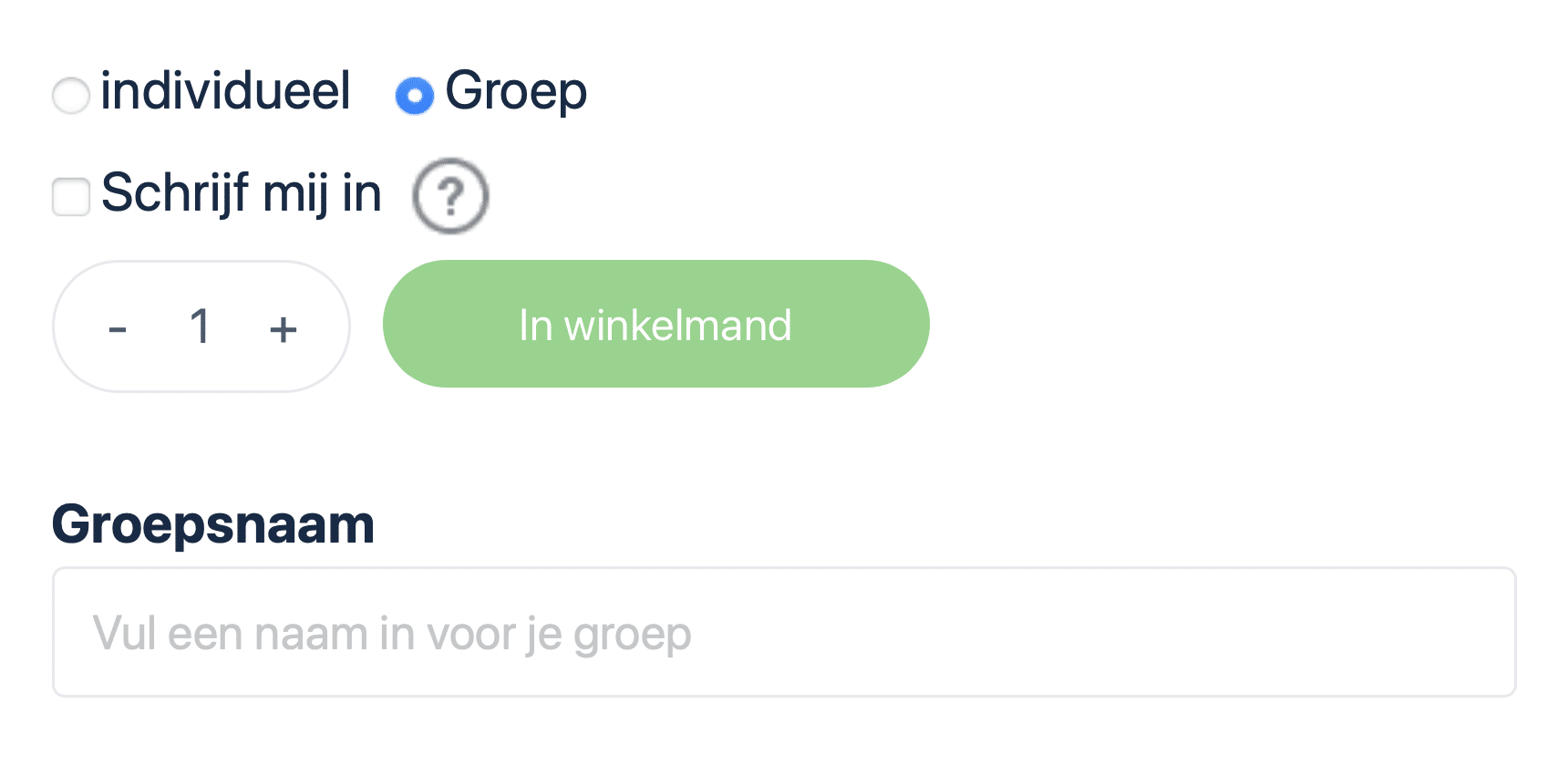
When ordering a training session, you can choose between “Individual” or “Group.”
- Individual: The training course is directly linked to the account used to place the order. Select this option if you will be taking the training course yourself.
- Group: You can start a group with as few as one license. Are you ordering a training course for someone else? If so, select “Group.” You will become the group leader and can easily add a participant through the “Group Management” page. The participant will receive their own account and access to the training course.
Can’t find your answer here?
Check out the FAQ (frequently asked questions) or send a message to DG-Learning Support via contact.
About Our System
Order a training course as an individual
When ordering the training course, check the “Individual” box and click “Add to Cart.” Enter your information here and select your preferred payment method. Your account will be created immediately upon receipt of your order. You can begin the training course once payment is received or approved by DG-Learning. If you already have an account, the training course will be added immediately after payment or approval.

Order a Training Course as a Group Leader
As a group leader, you can choose whether or not to participate in the training. When “Sign me up” is checked, you will be counted as a group member and you too can attend the training. If this is not checked, the group leader is not included. The group leader is then only authorized to view the progress and results of the group members but cannot attend the training himself.
Enter the number of licenses and a name for the group. Click “Add to Cart” and then enter your information. Your account will be created immediately upon receipt of the order. Once payment is received or DG-Learning approves your order, you can start the training and add users to your group. If you already have an account, the training and group will be added immediately.
Payment methods
iDeal / Wero
Credit Card
Klarna (pay later)
Bank transfer: If payment is processed via bank transfer, you have 30 days to complete payment. Your account is created immediately after placing the order. You will receive an email containing the Proforma invoice. This invoice contains our bank information. Training and group will be added within 24 hours of receipt of payment or order approval by DG-Learning. Following this is then also the ability to enroll users on the group management page.
Bulk Discounts
| Title | Quantity | Discount |
| Regular price | 0 – 9 | 0% |
| Bulk Discount | 10–24 | 5% |
| Bulk Discount | 25–49 | 10% |
| Bulk Discount | 50–74 | 15% |
| Bulk Discount | 75–99 | 20% |
| Bulk Discount | 100+ | 25% |
*Bulk discounts cannot be combined with other discount codes.
Your account
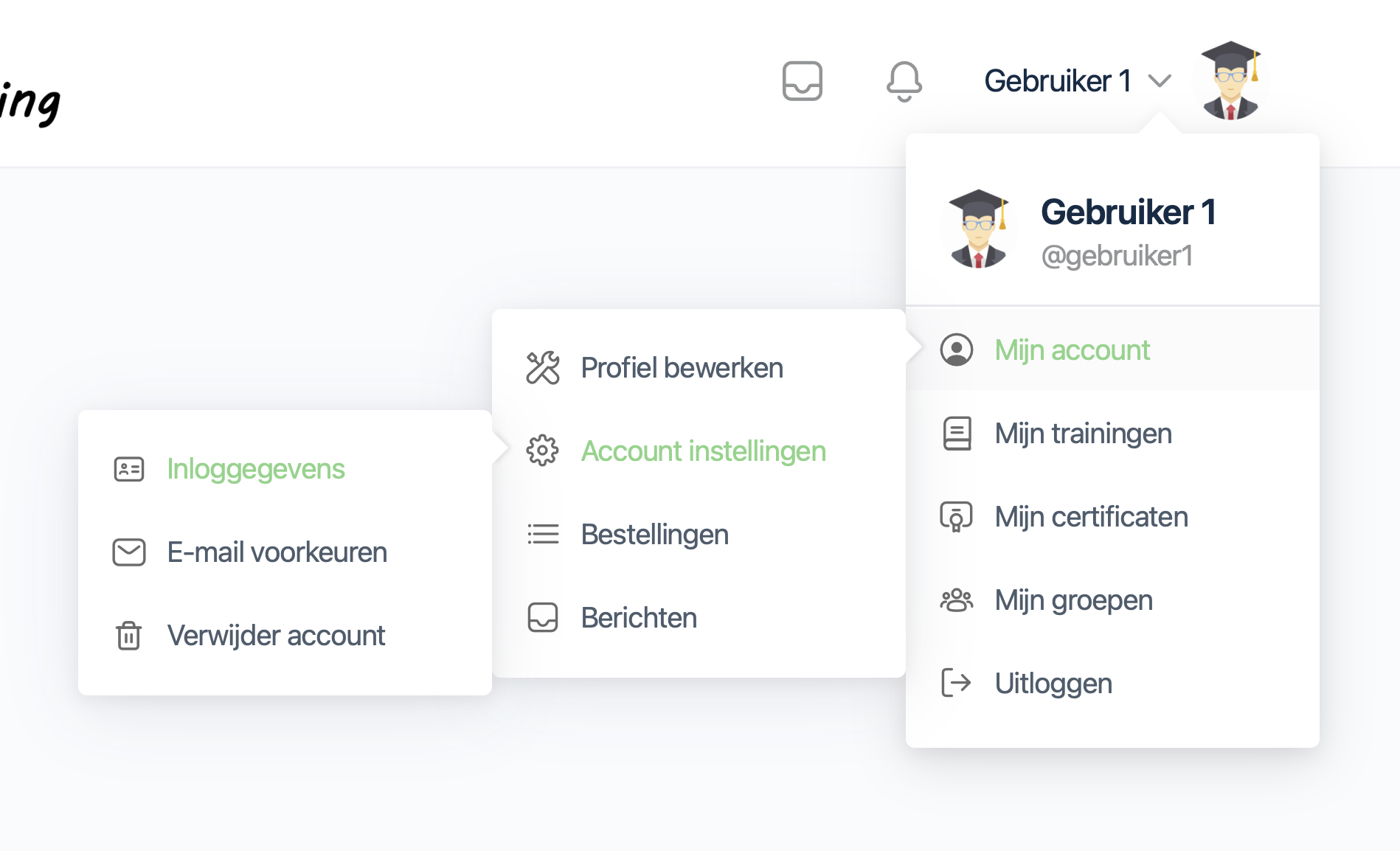
From your account, you can start, pause and continue your workouts. On the “Trainings” page you can find all your active trainings and certificates obtained. You will also find your login information, e-mail preferences, orders, messages and can navigate to the groups you are subscribed to.
Your account will remain active until you delete it yourself. You can delete your account at any time via your account menu—> My Account—> Account Settings—> Delete Account. Please note: This will delete all your data. This action cannot be undone.
Your profile
It is possible to add a profile picture to your account/profile. You can also change the default cover photo to your desired image by simply selecting a file on your device.
Your first name, last name, and email address are visible to the group leader(s) of the group(s) in which you are enrolled. In addition, they can download the certificates and view all progress and results for the training sessions in the group in which you are enrolled.
Users who are members of the same group cannot access information from your profile.
View the profile of Jim de Winter Or view Glenn de Winter’s profile (DG-Learning.nl administrator) as an example of a user profile. Only the profiles of DG-Learning.nl administrators are public. All profiles of DG-Learning users are hidden from website guests and other users.
Group Management
On the“Group Management” page there is the ability to add users, view progress of group members and download quiz results.
Register users
Use the account menu to navigate to the “Group Management” page. If you manage only one group, it will open immediately. If you manage multiple groups, you’ll first see an overview from which you can select the group you want.
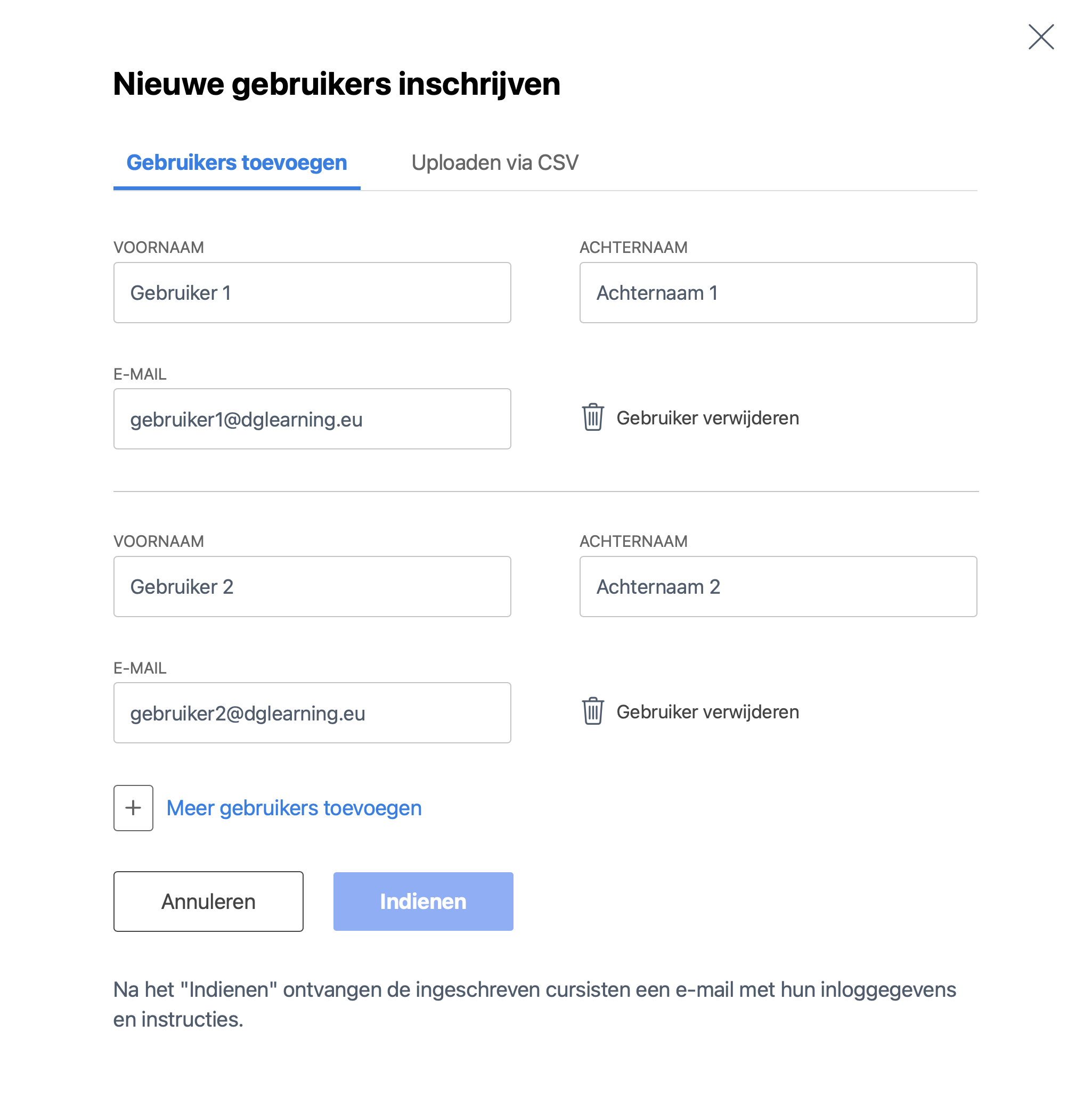
Next, click on the group you want to register users in, and then click the blue “Register New User” button. Enter the first name, last name, and email address of the user(s) you want to add. Do you want to register multiple users at once? If so, click “Add more users” to add additional input fields.
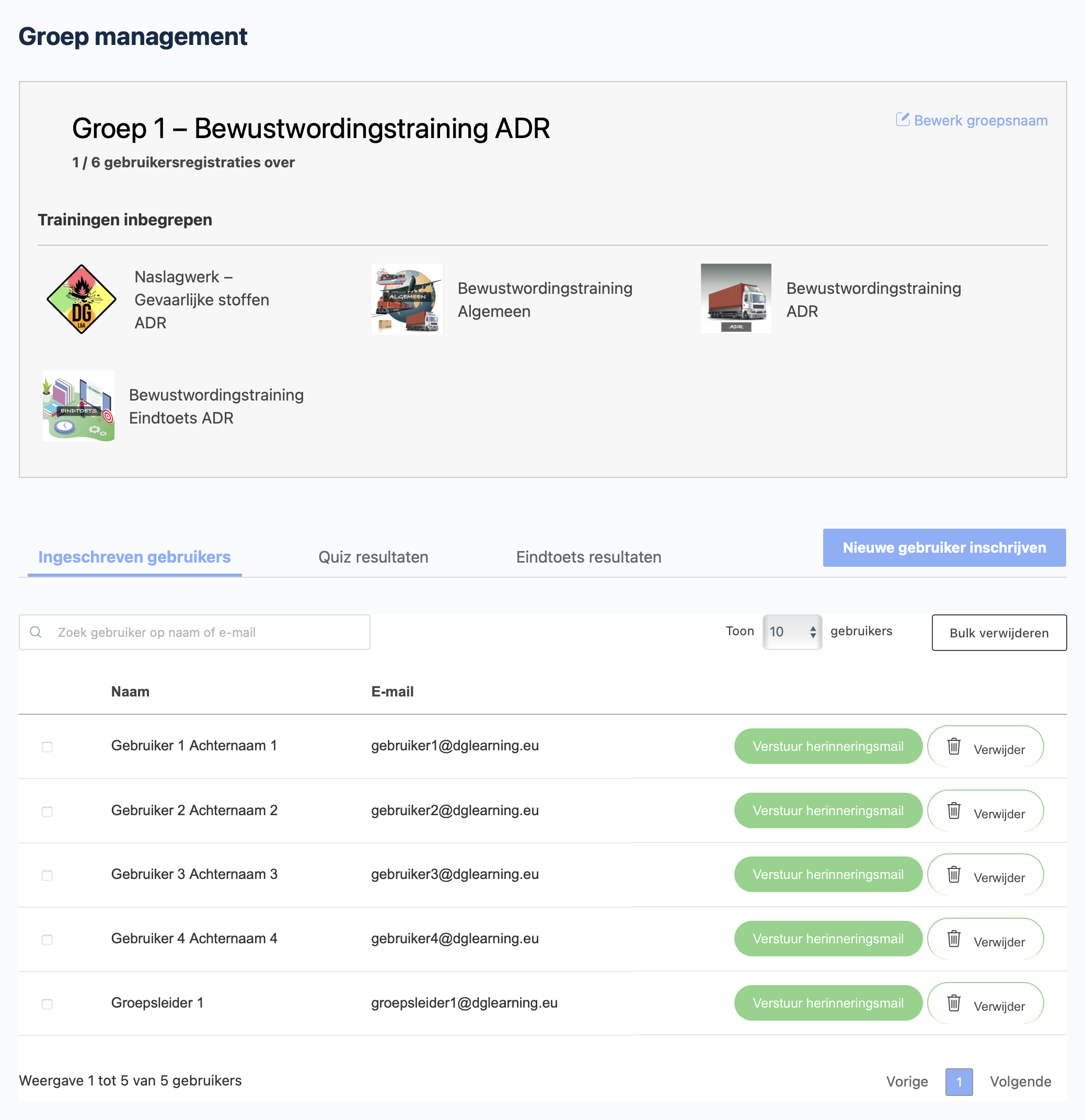
After filling in the information, click “Submit.” After submitting the information, one user registration (license) will be deducted per user. The remaining user registrations (licenses) will be displayed at the top of the “Group Management” page under the group name.
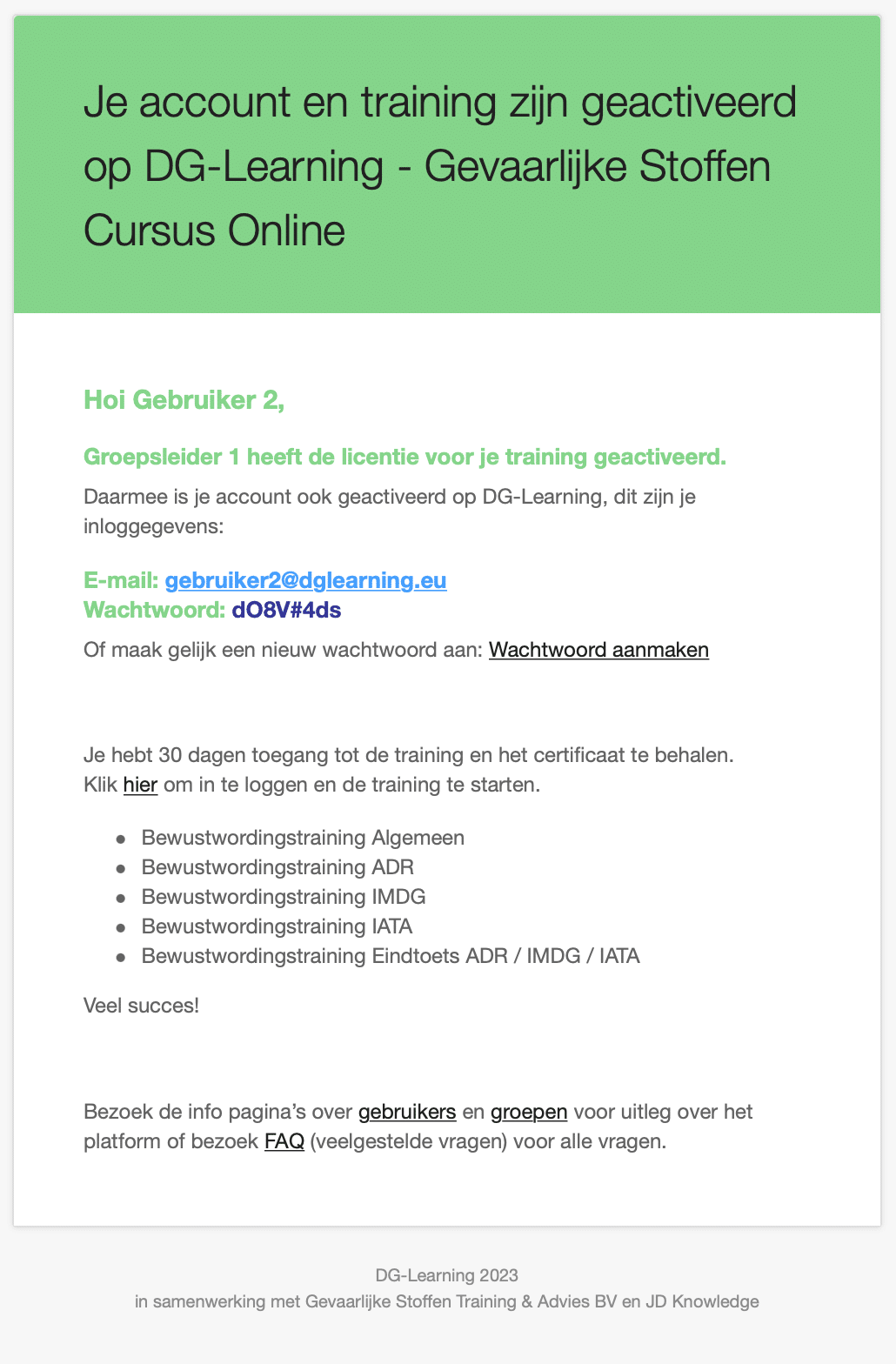
As soon as the information is submitted, users are added to the relevant group and accounts are automatically created for them right away. Group members receive an email containing their login credentials. If the email hasn’t been received or if you want to remind a group member that the training has been activated, you can resend this email by clicking the green “Send Reminder Email” button. All group members can be found under the “Registered Users” tab.
Quiz Results
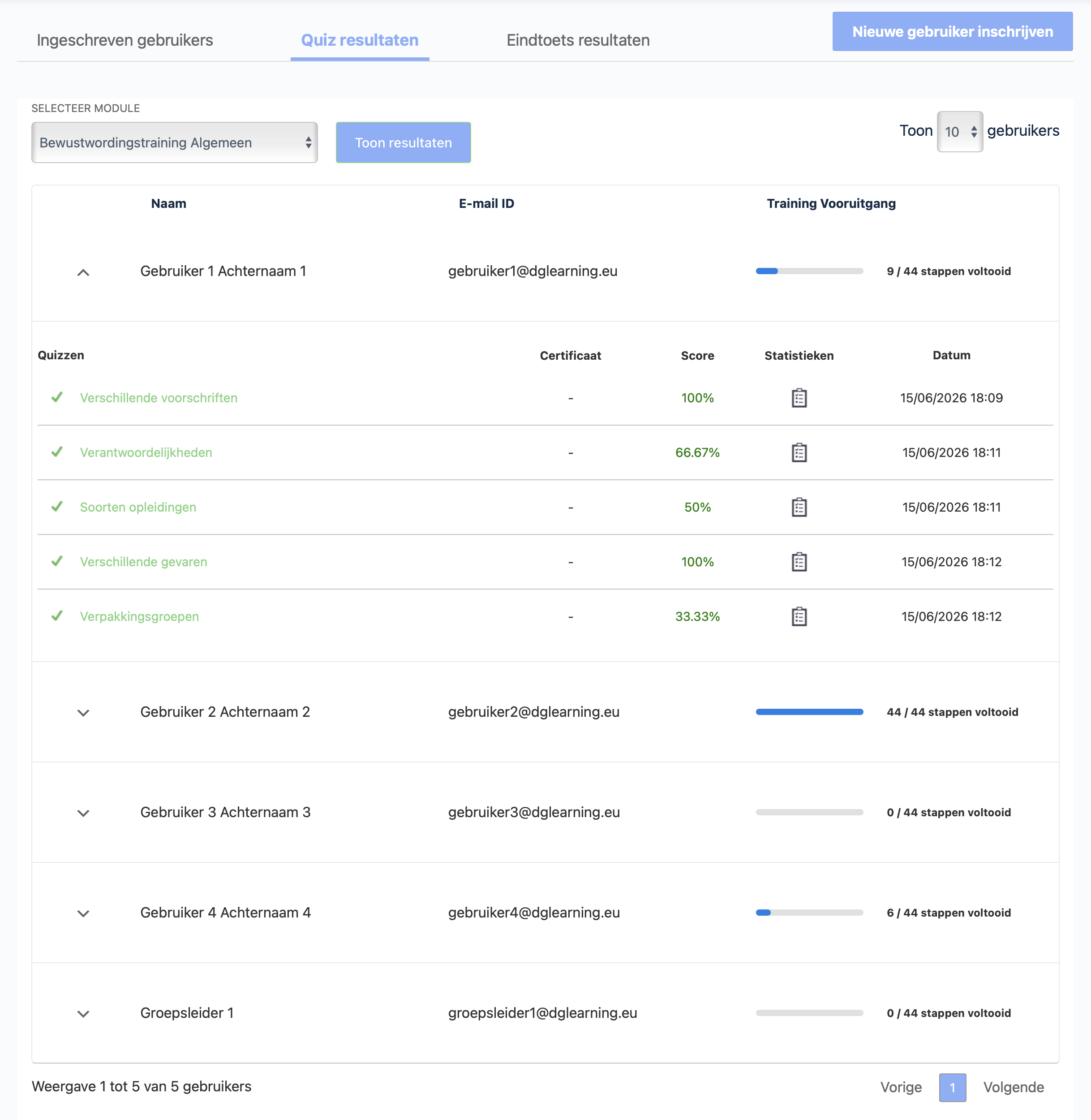
On the “Group Management” page, click the group you want to view, and then click “Quiz Results.” Select the training course for which you want to view the quiz results, and click “Show Results.” The group members’ quiz results are displayed in a table organized by module. The “number of steps completed” is shown next to each user. The number of steps includes the number of chapters and sections. Quizzes are not included in this count.
Expand the user by clicking the “⌵” button. This overview shows each user’s score in % per quiz and the date with the time they completed the quiz. When a certificate is associated with the quiz, the certificate is displayed in the “Certificate” column.
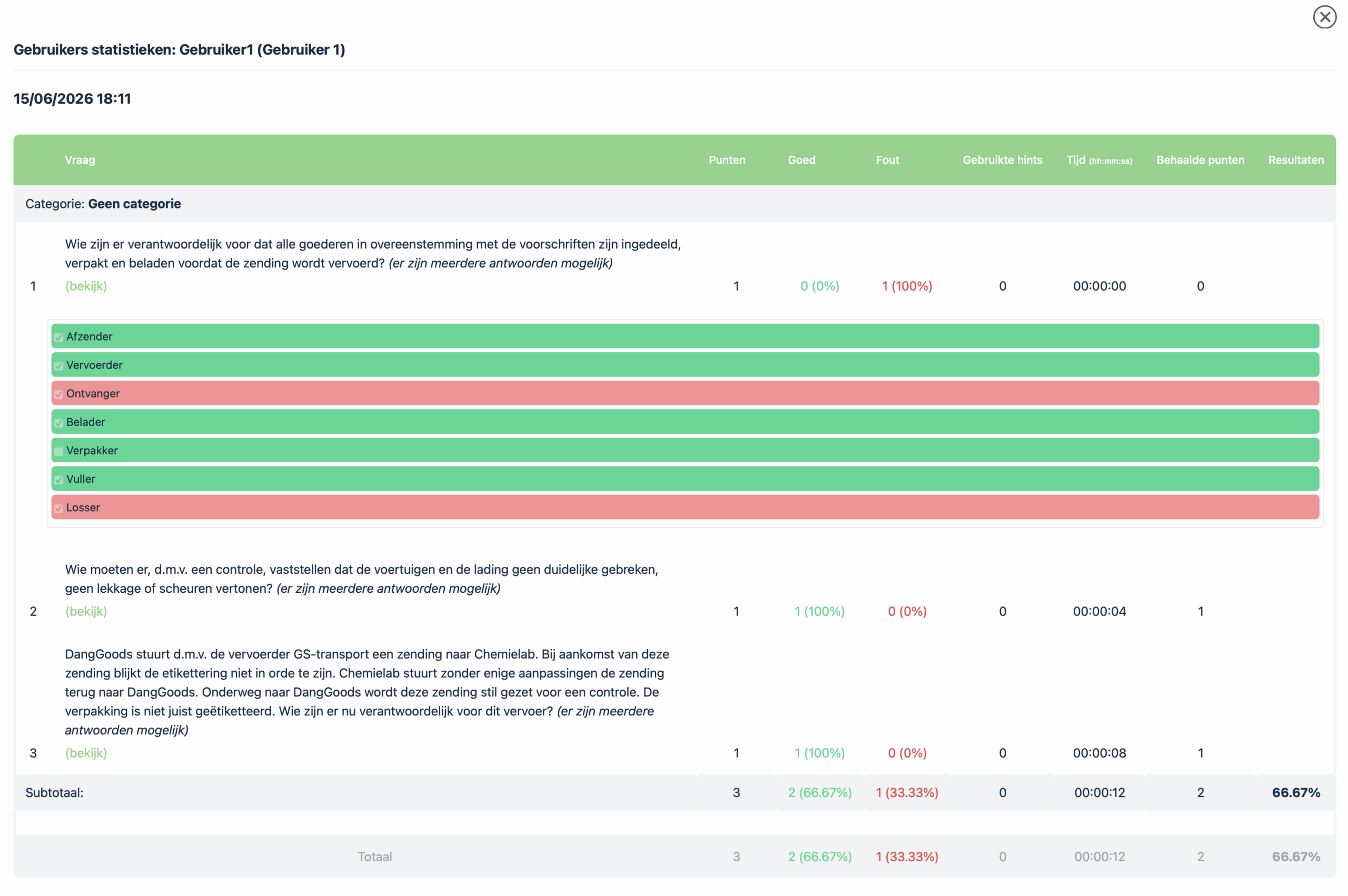
The “statistics icon” is displayed with each quiz. Clicking on it will take you to a new window that displays expanded results for each quiz question. The answers given by the user and thereby the correct and incorrect answers per question are shown in a clear table. This also shows how long it took the user to complete the quiz question.
Final Exam Results
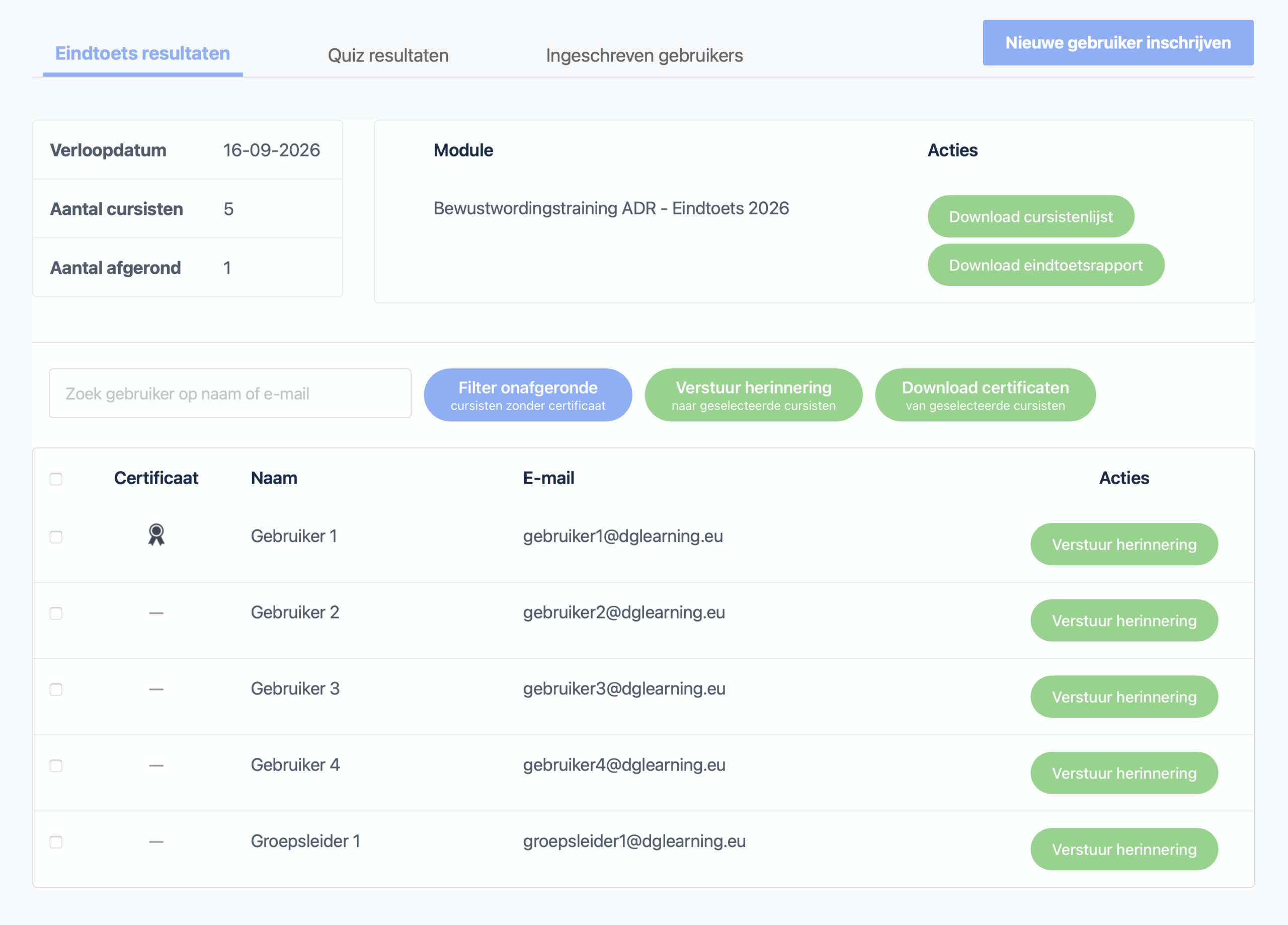
In the “Final Test Results” tab, you’ll find an overview of all participants, important information, and handy action buttons. Here, you can see the expiration date of the training for the group, the number of enrolled participants, and how many participants have completed the final test.
Click the “Download Student List” button to download the complete list of students enrolled in the group. This list also includes the enrollment date and time, as well as the date and time each student completed the final exam.
Using the “Download Final Test Report” button, you can download a comprehensive report with detailed information about the students in the group. This report also includes an overview of all final test questions, including whether the student answered each question correctly or incorrectly.
Send a Reminder Email & Download Certificates
At the bottom of the tab, you can easily filter for students who haven’t received a certificate yet. You can then send a reminder email to the entire selection at once by clicking the green “Send reminder to selected students” button.
You can also download certificates for the selected students by checking the boxes next to their names and clicking the green button labeled “Download certificates for selected students.” It is also possible to download an individual certificate by clicking the certificate icon next to the student’s name.
Training
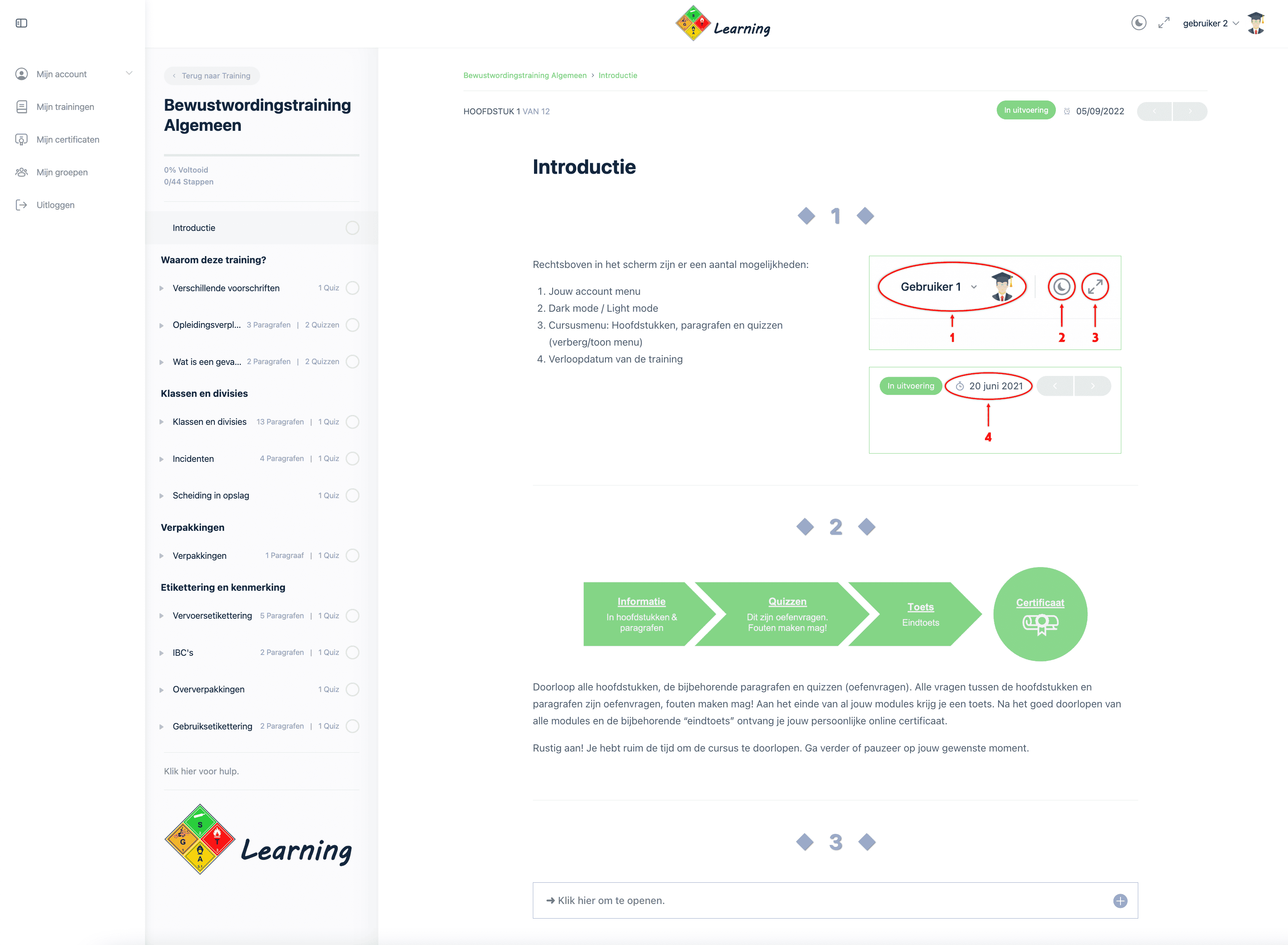
Awareness training courses are available for 3 months starting from the day of registration/payment. You can pause the training at any time. You’ll then continue from where you left off. Chapters and sections are covered in a linear fashion. You cannot skip chapters, sections, and/or quizzes. Most chapters and sections conclude with practice questions—it’s okay to make mistakes! You’ll earn your certificate by achieving a passing score of 70% on the “final exam” module. Read more about certificates…
Passing is guaranteed! If you receive a failing score on the final test, you can retake it. You can do this as many times as necessary until you achieve a passing score.
The course expiration date is 3 months after the student is enrolled in the group. The student will receive an email reminding them of the course expiration date 2 months, 2 weeks, and 5 days before the expiration date.
After completing the training and the accompanying final exam, the participant will have access to the reference material, which will be available for review for one year.
We offer complete awareness training for all modes of transportation. We also offer abbreviated awareness training aimed at the medical sector (road transport) as well as abbreviated ‘recognition’ training (road transport) for production workers, for example.
Click on one of the shortcuts below to view training content:
Full awareness training is divided into 3 to 5 modules:
General
that applies to all modes of transport, with the following content:
-
- Different regulations
- Training requirement
- Responsibilities
- Different hazards and packaging groups
- Classes and divisions
- Incidents
- Separation in storage
- Packaging
- Labeling and marking
ADR
that applies to road transport only, with the following content:
-
- The ADR regulations (the substance list).
- General exemptions, Excepted and Limited quantities, 1000-point rule
- Loading, unloading, stowage and co-loading
- Tunnels and routing
- Different tanks, filling rate and tank code
- Labeling and marking of transport units
- Documents ADR
- Security ADR
IMDG
that applies to maritime transport only, with the following content:
-
- The IMDG code (the substance list).
- Responsibilities
- Excepted and Limited quantities
- Stowage and segregation
- Loading of loading units
- Labeling and marking
- Documents IMDG
- Security IMDG
IATA
that applies to air transport only, with the following content:
-
- The IATA-DGR and ICAO-TI
- Responsibilities
- Excepted and Limited quantities
- Passenger and cargo aircraft
- Segregation
- Loading of cargo aircraft
- Brands and Labels
- Documents IATA
- Security IATA
and finally a final test that applies to the relevant modalities in your training. Attached to this is a personal certificate.
The Hazardous Materials Recognition Training is divided into 2 modules:
Dangerous goods recognition training
that applies to road transport only, with the following content:
-
- Different regulations*
- Training requirement
- Responsibilities*
- Different hazards and packaging groups
- Classes and divisions
- Incidents
- Separation in storage
- Packaging
- Labeling and marking*
- Documents ADR*
- ADR* exemptions.
- Loading, unloading, stowage and co-loading
- Security ADR (mandatory chapter according to 1.3 ADR)
All content marked ” * ” is a scaled-down or modified version of the full awareness training.
and finally a final test that applies to the relevant modalities in your training. Attached to this is a personal certificate.
The Basic Hazardous Materials Training is divided into 2 modules:
Basic Dangerous Goods Training
that applies to road transport only, with the following content:
-
- Different regulations*
- Training requirement
- Different hazards and packaging groups
- Classes and divisions
- Incidents
- Separation in storage
- Packaging
- Labeling and marking*
- ADR* exemptions.
- Security ADR (mandatory chapter according to 1.3 ADR)
All content marked ” * ” is a scaled-down or modified version of the full awareness training.
and finally a final test that applies to the relevant modalities in your training. Attached to this is a personal certificate.
The Awareness Training ADR – Medical Sector is divided into 2 modules:
ADR – Medical sector
that applies to road transport only, with the following content:
-
- Different regulations*
- The ADR regulations (the substance list).
- Training requirement
- Responsibilities*
- Different hazards and packaging groups
- Classes and divisions
- Incidents
- Separation in storage
- Packaging
- Labeling and marking*
- Transport document Medical sector*
- Exemptions in ADR*.
- Security ADR (Compulsory chapter according to 1.3 ADR)
All content marked ” * ” is a scaled-down or modified version of the full awareness training.
and finally a final test that applies to the relevant modalities in your training. Attached to this is a personal certificate.
Available on all devices; smartphone, tablet, laptop, desktop.

Certificates
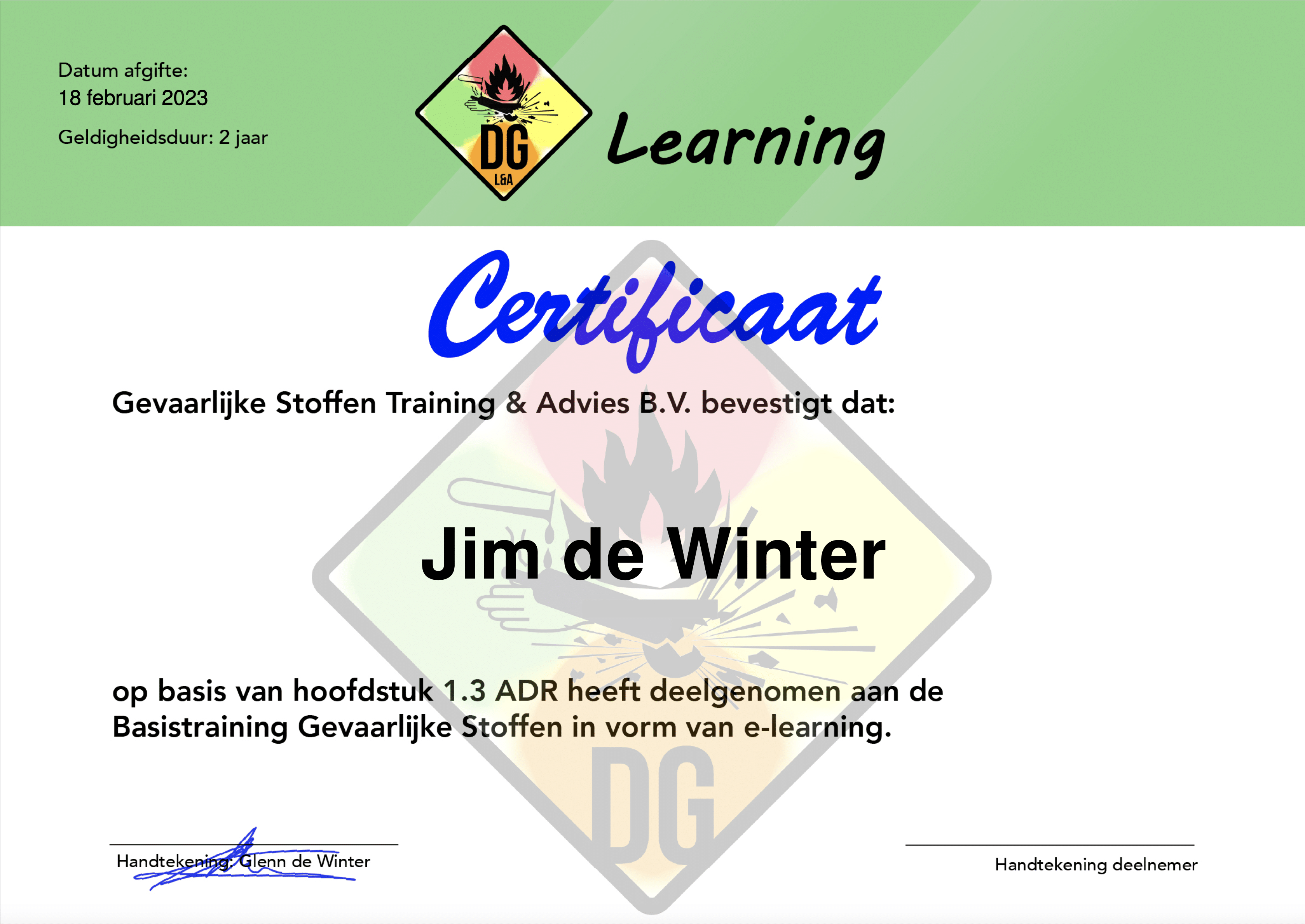
At the end of the training, after passing the “final test” with a satisfactory score of 70%, you will receive a personal certificate.
Success is guaranteed! If the final test is completed with a failing score, the final test can be reset. This can be done until a satisfactory score is achieved.
This certificate is valid for 2 years from the date the “final test” is completed. The certificate is easy to view and download from your account. The certificate is also sent to the specified email of the student and group leader. Group leaders are authorized to view and download all certificates of enrolled users in his/her group.